HazardLens watches the cameras you already have, all day, on every camera at once. It flags missing PPE, unsafe acts and unsafe conditions, tells you which regulation applies, and writes the coaching and monthly reports for you.
A safety officer can stand in one place at a time. The harness that wasn't clipped on, the person who walked under the load, the guard that was left off: these happen on camera, and are found afterwards, if at all.
HazardLens looks at every camera every few seconds and tells you while there is still time to stop the job, then keeps the record that shows you acted.
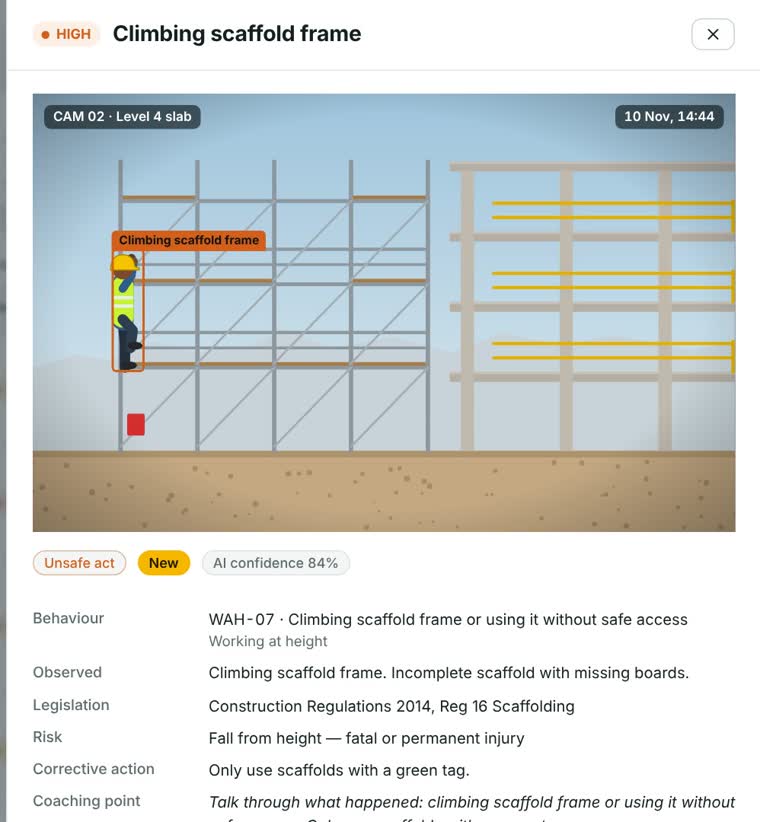
Each finding arrives as a marked-up picture with a severity, the regulation it relates to in your country, the risk, and the corrective action.

Checked per zone, so a welder and a visitor are held to different rules.

What people do when they think nobody is looking.

The hazard that sits there until someone trips over it.
Spotting the problem is only the start. HazardLens carries each event through to the paperwork.
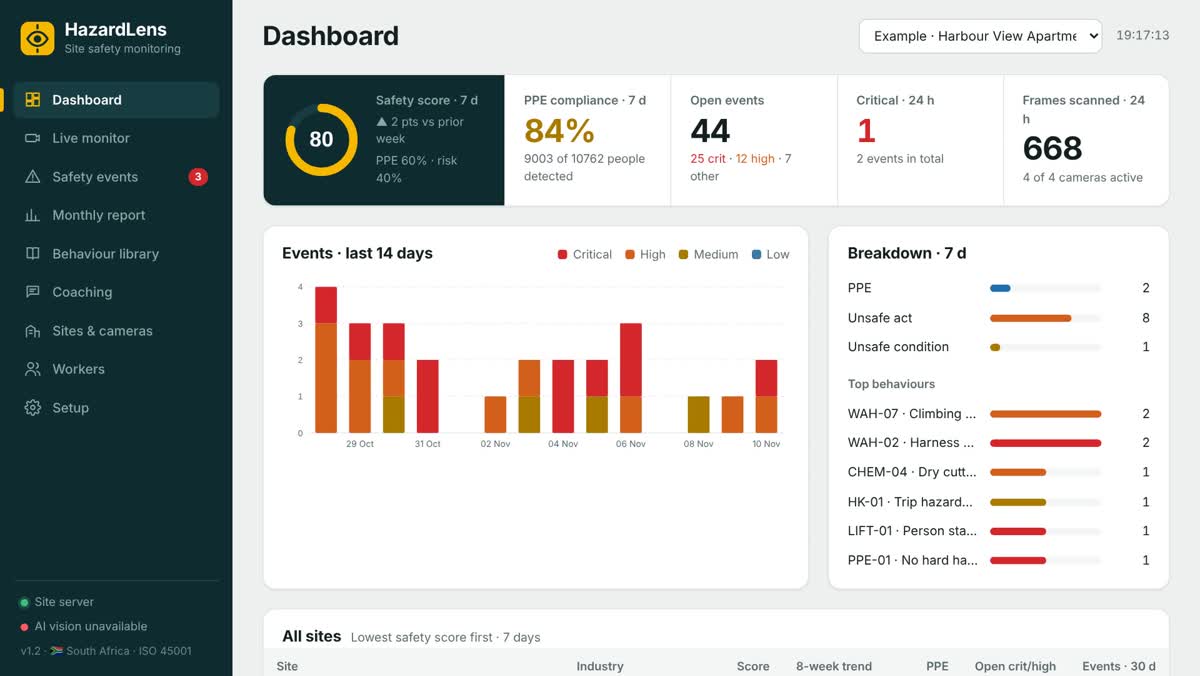
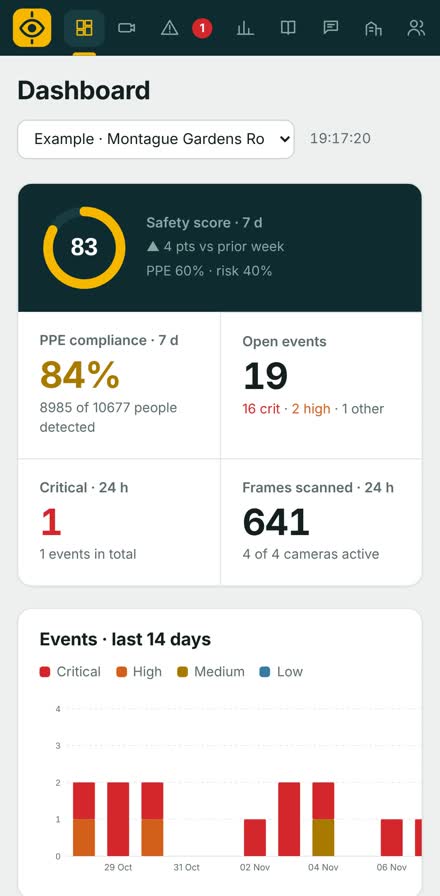
These are screens from HazardLens itself, showing its built-in example sites.


Sign in from the Android app or any browser and see the same live dashboard. Your pictures stay on your own site computer; the app looks at it through a secure link.
One package of software. No add-ons to buy for alerts, reports or the phone app.
United States is built in.
Choose your country per site and every finding quotes the regulation that applies there, on top of the ISO 45001 and ILO baseline.
Each industry comes with its own PPE rules and the hazards that matter there.
Billed monthly by card or debit order. Cancel any time. Every package starts with a 3-day free trial.
| Package | Cameras | AI analyses a month | Price | |
|---|---|---|---|---|
| Starter | Up to 2 cameras | 10 000 included | $91 a month | Try it free |
| Site | Up to 6 cameras | 25 000 included | $182 a month | Try it free |
| Enterprise | Up to 16 cameras | 60 000 included | $363 a month | Try it free |
Prices are shown in US dollar at today's exchange rate, as a guide. Payment is taken in South African rand (R 1 499, R 2 999, R 5 999), and your bank converts it. Rates by Exchange Rate API.
Install it on one computer on site and link your cameras. The free trial and the subscription both start from inside HazardLens, so there is no key to type.
Unzip the folder and double-click Start HazardLens. It needs Node.js 22 or newer, and offers to install ffmpeg the first time.
Download for WindowsVersion 1.5.5Set your sign-in on the site computer first, under Setup, Phone and online access. Then install the app and sign in.
Download for AndroidOn iPhone or another computer, sign in with your browser.Most IP cameras, NVRs and DVRs that offer ONVIF or RTSP, which covers the common Hikvision, Dahua and Uniview-style systems, plus USB cameras. HazardLens searches your network for them. Cameras that only work through a phone app are possible but take extra setup.
No. It gives them eyes on every camera all day and the paperwork ready to use. The AI can miss things and can be wrong, which is why every finding shows its picture and confidence, and a person decides what happens next.
Events, pictures and reports are stored on your own site computer. To analyse a frame it is sent securely to the AI service and the result comes back; HazardLens keeps no copy online. The phone app looks at your site computer through a secure link.
One Windows computer that stays on, on the same network as the cameras, with an internet connection.
Workplace camera monitoring is common but regulated, and the rules differ by country. HazardLens includes a camera privacy notice for your country that you can post on site. Check your own obligations before you switch it on.
Monitoring pauses and your records stay where they are. Pick a package from inside HazardLens and it carries on with the same data.